How Moodoodle works
From "I have an idea!" to a finished masterpiece in five steps. Every screen below is the real app on iPad — it works the same way on iPhone — following one idea the whole way through.
 Coming soon toGoogle Play
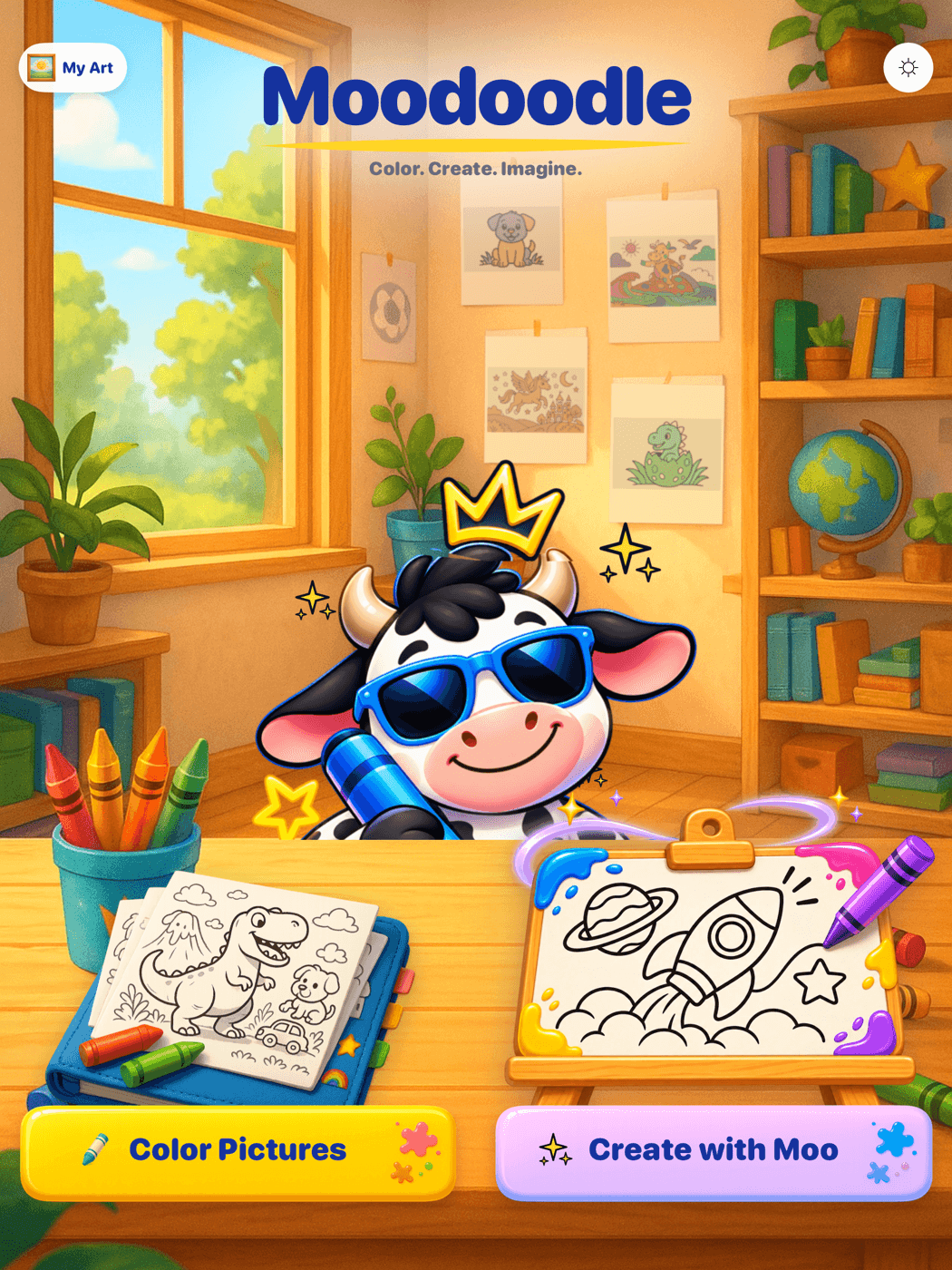
Open Moodoodle
Home is Moo's art studio, with two ways in: the sketchbook of ready-to-color pictures, and the easel where new ones are made. No account, no sign-in — a child can be coloring seconds after the app opens.
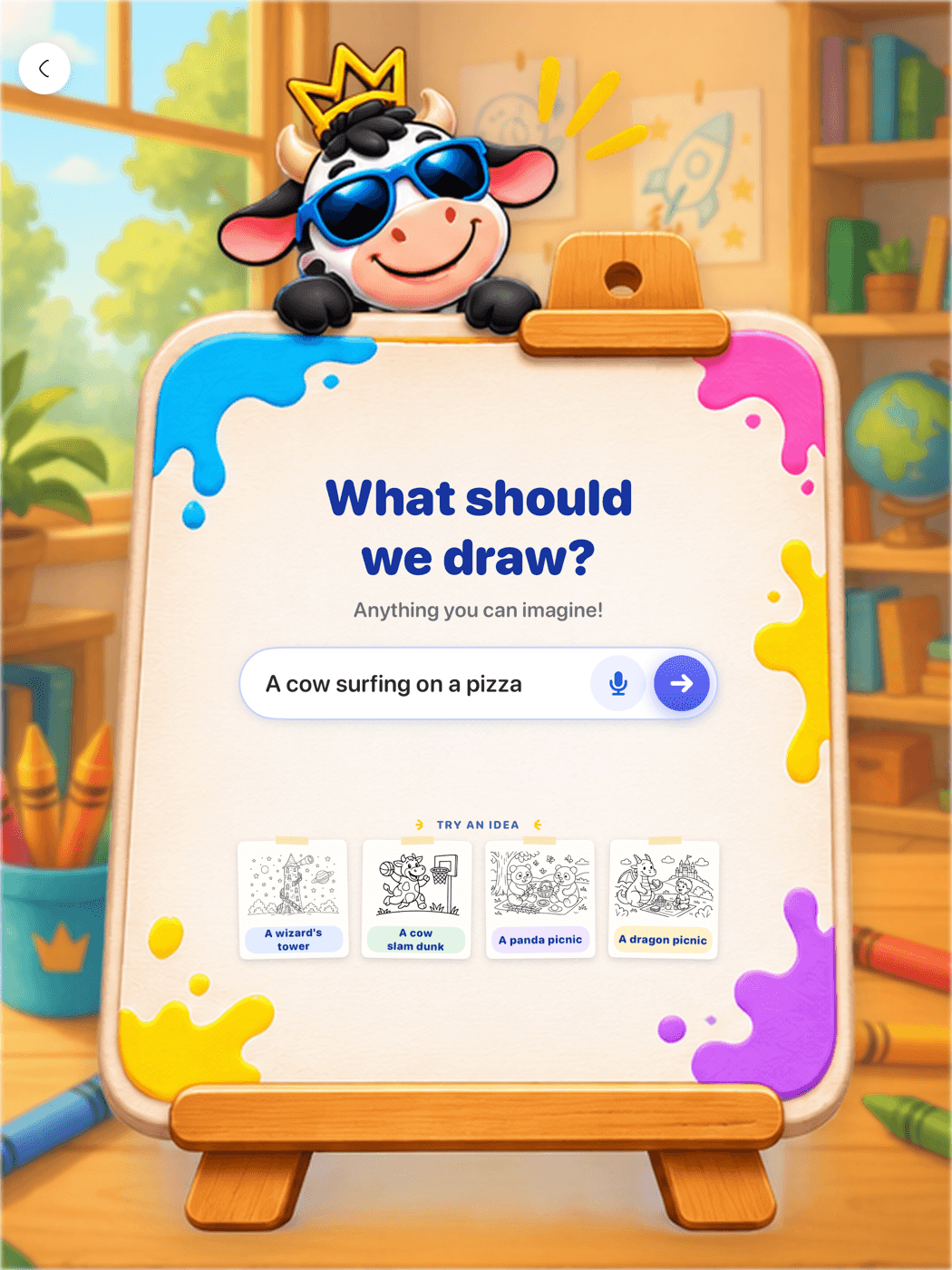
Tell Moo what you want to color
Tap the easel and say the idea out loud, or type it — "a cow surfing on a pizza!" The microphone sits right beside the field, so pre-readers can create too. Idea cards offer a nudge when inspiration is warming up.
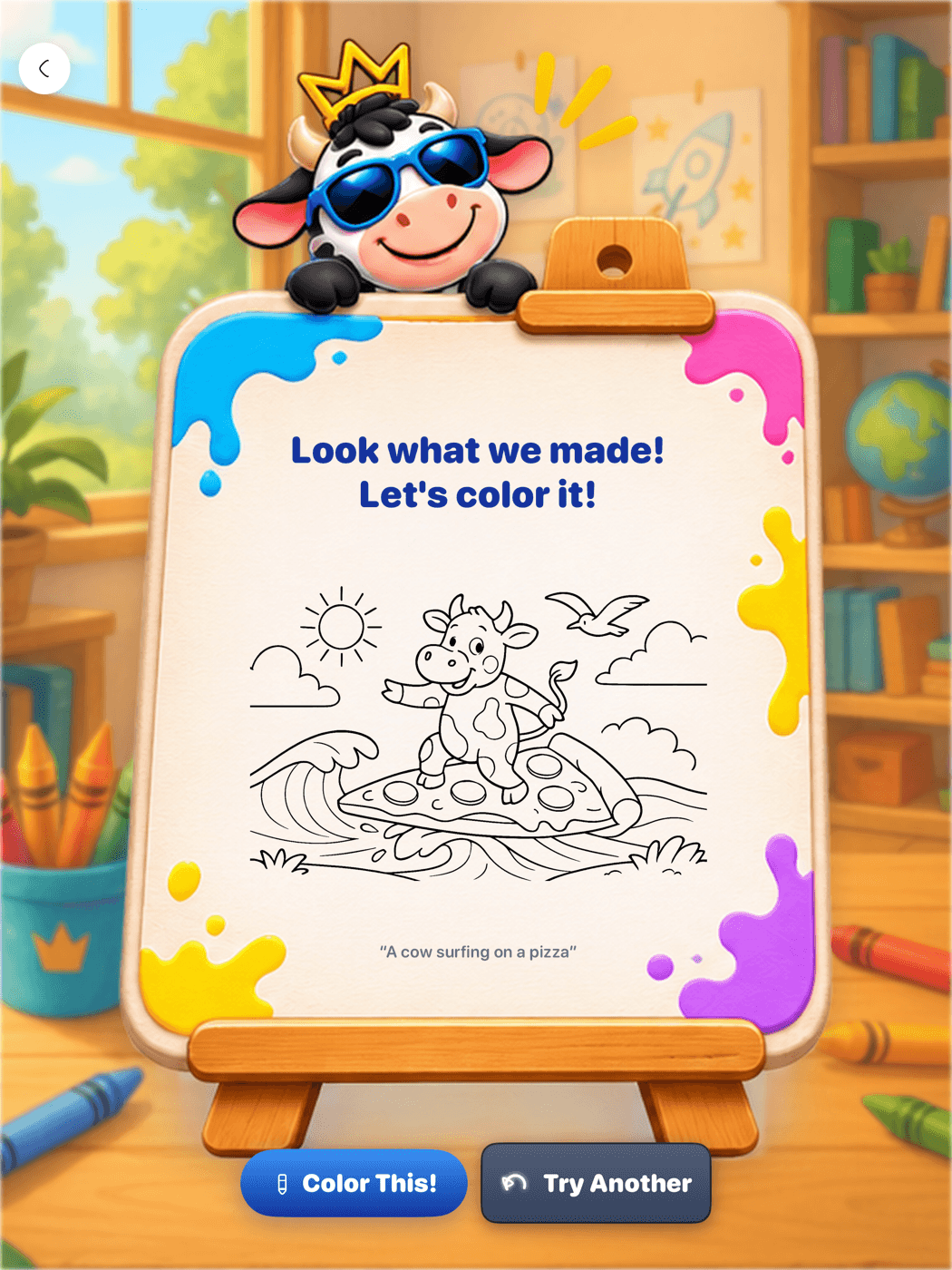
Moo draws the page
Moodoodle checks the idea (so everything stays kid-friendly), then Moo draws it as a black-and-white coloring page in the app's warm line-art style, at the detail level that fits the age you set.
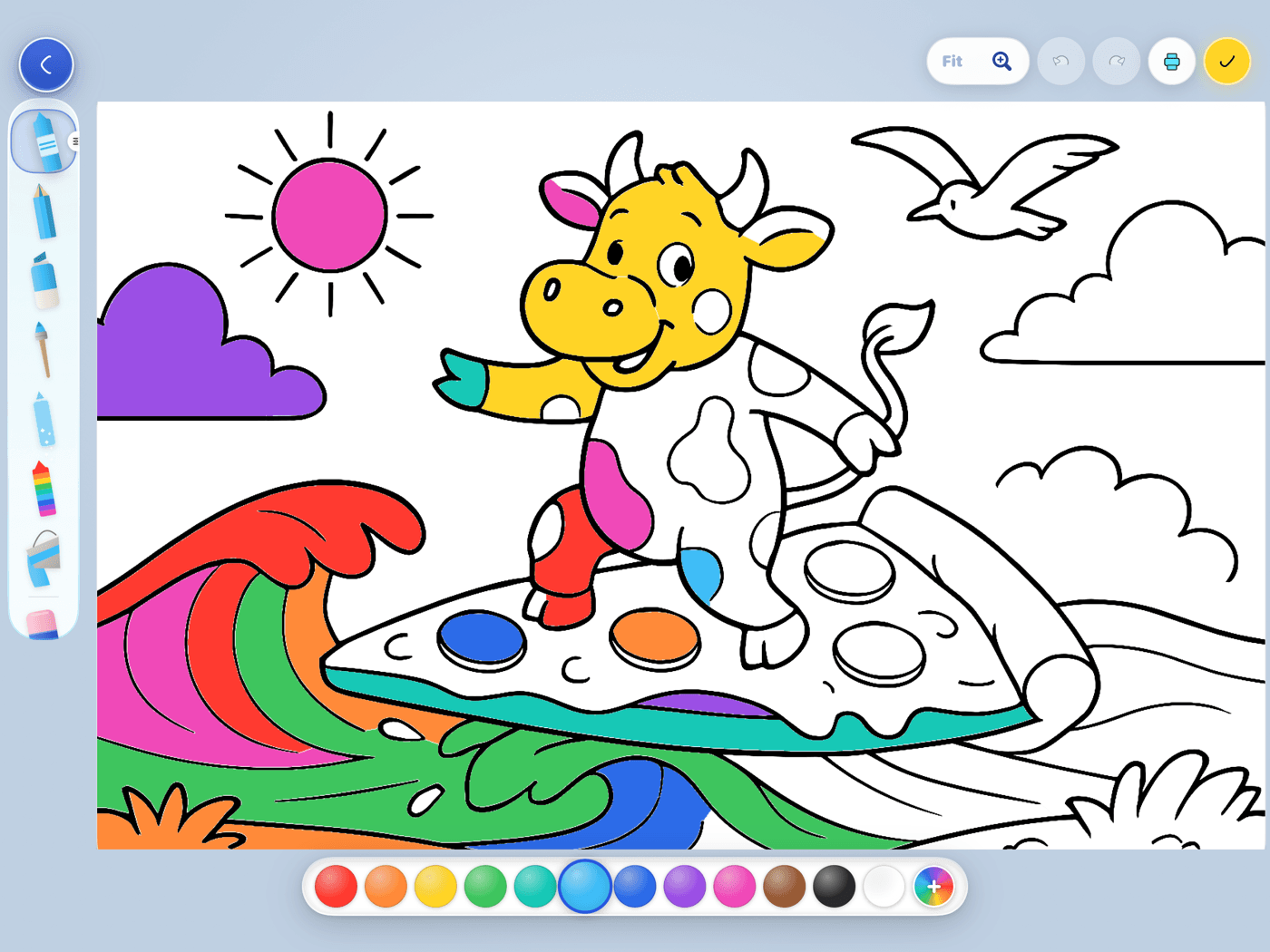
Color it
Crayons, markers, pencils, paint, glitter, a rainbow brush — and Magic Coloring that keeps color inside the lines. Pinch to zoom in close, undo and redo freely. The picture saves itself as they go.
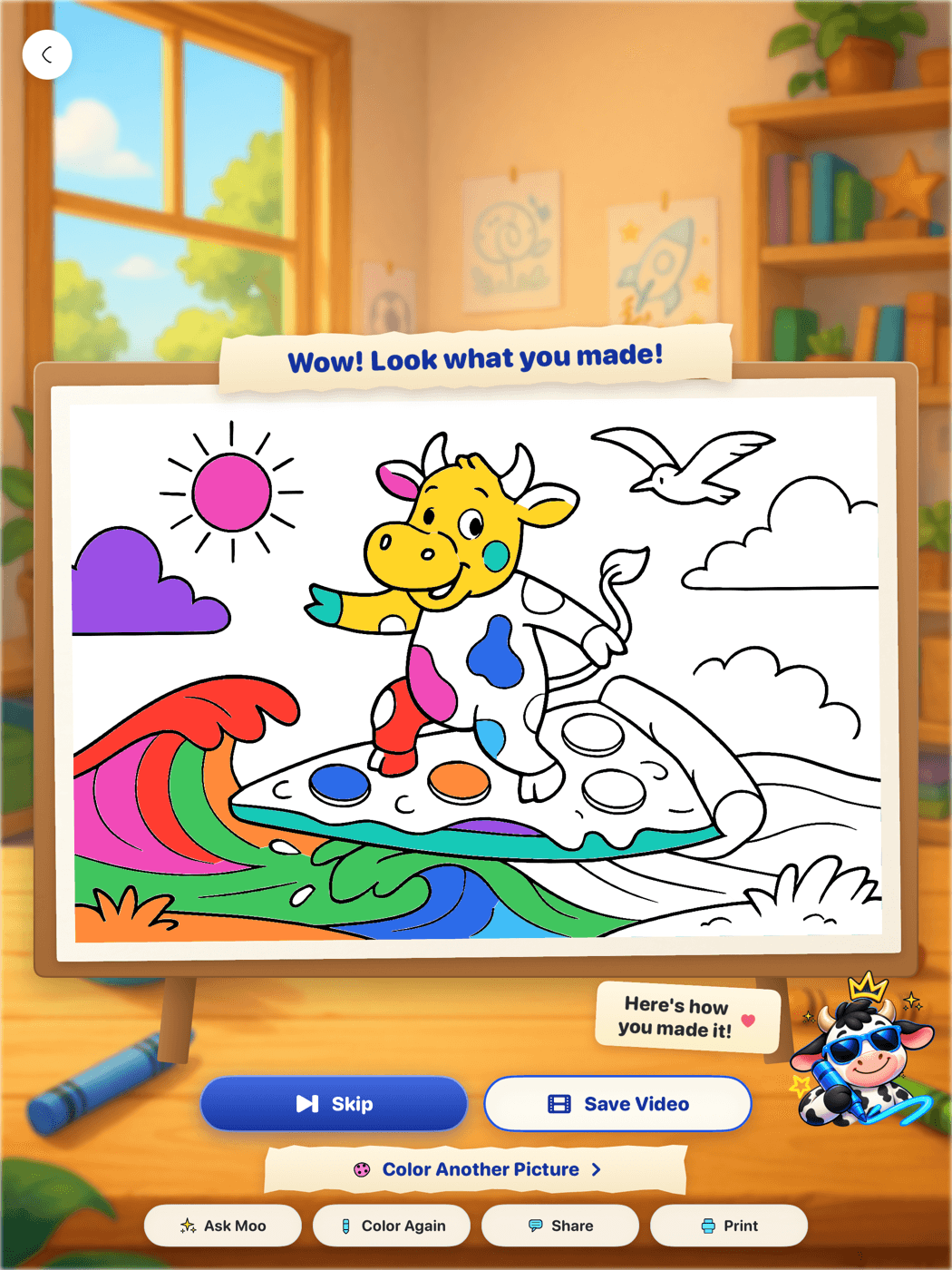
Watch it come to life, and keep it
Finishing earns a little celebration: a time-lapse replay of every stroke, start to finish. Everything lives in My Art, so a picture can be reopened, continued, or admired any time — it stays even if a subscription ends.
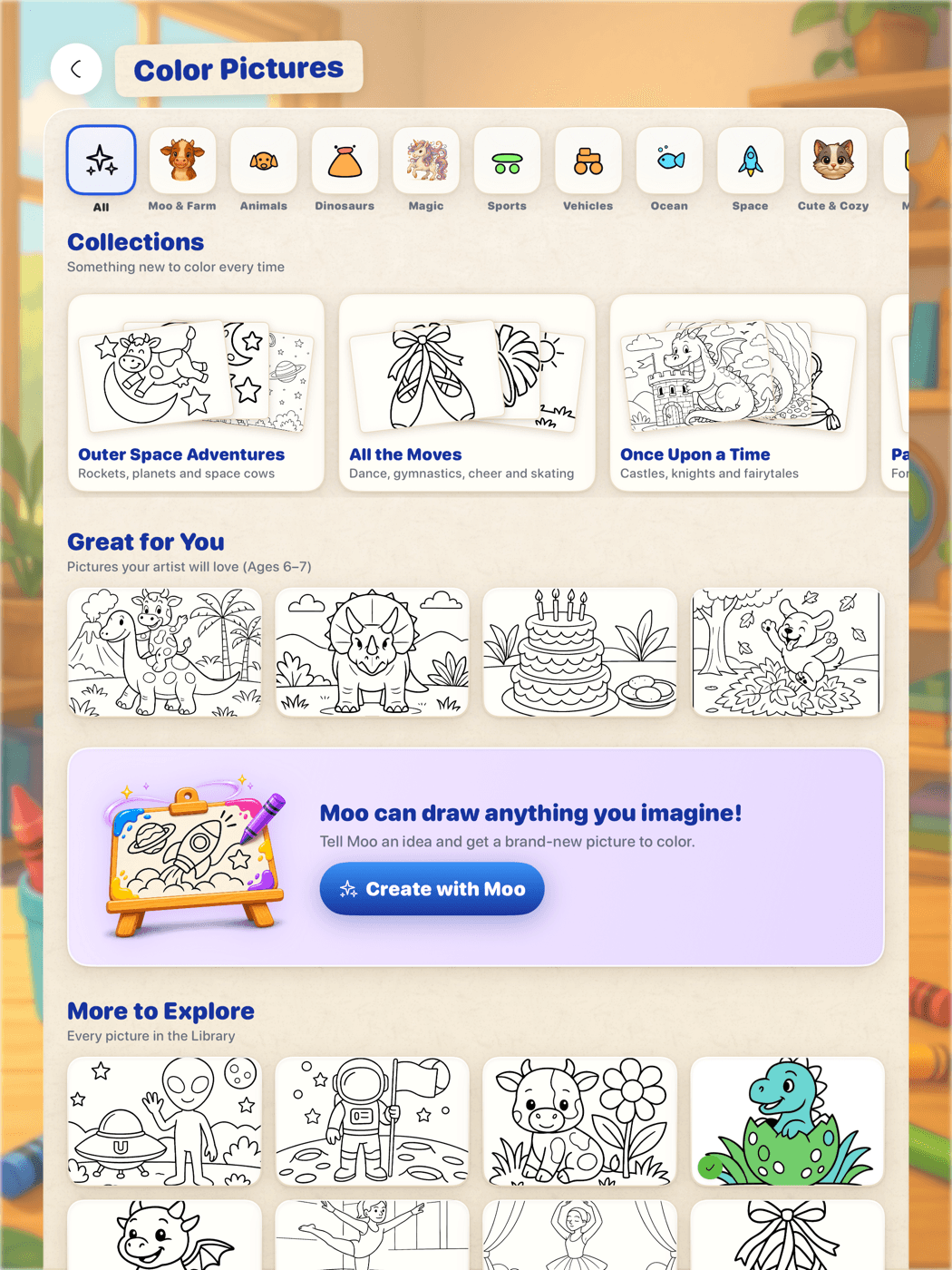
Not in the mood to invent? Open the Library.
Alongside creating, Moodoodle comes with over 140 hand-made pictures on themed shelves — animals, dinosaurs, space, vehicles, ocean and more — ordered for your artist's age, with new pictures every season. Coloring, the Library and My Art all work offline; only creating new pages with Moo needs the internet.
Curious about the creating side? Read howkids can say what they want to color and what makesAI coloring pages personal, or seewhat's free and what's not.
See it in their hands.
Download Moodoodle free on the App Store, and let Moo turn their next idea into a coloring page.
Coming soon toGoogle PlayMade for little artists ages 3–10+, on iPhone and iPad.